What changed
Assess the basic connection, the voice-memo prerequisites and the recorded result separately. The fictional input and manual answer below define a trial. They are not Bixby-generated output or evidence that the earbuds automatically create tasks, place orders or deliver work.
What the US announcement establishes
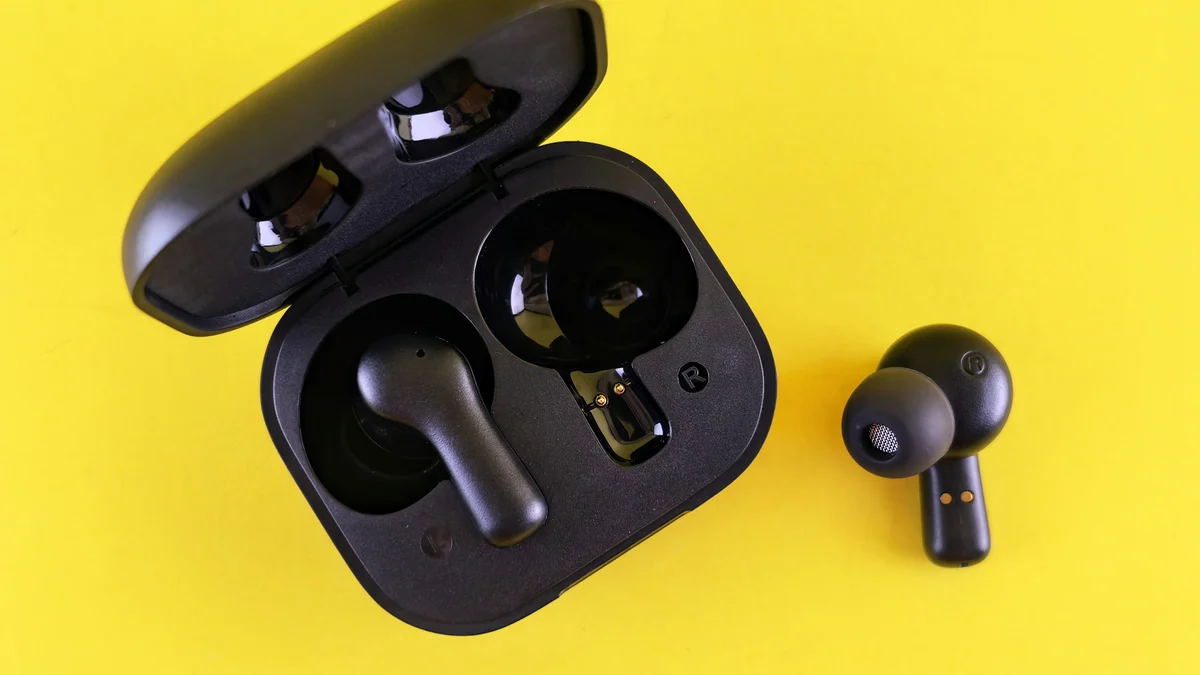
Samsung’s US Newsroom announcement describes clip-on, open-ear Galaxy Buds On and schedules a Black version for early November 2026 in the US at 229 USD. That is an October 28 launch announcement, not evidence of available stock on October 30.
The corresponding UK Newsroom release separately gives an early 2027 European plan. Do not transfer the US price or date to Europe or mainland China. These pages do not establish a specific local order date, inventory or final purchase price for every market.
After pairing, verify the intended memo feature
Pairing and additional features need separate acceptance checks. The US specification lists Android 12 or later and more than 1.5 GB of memory for basic compatibility, while noting possible feature limitations on non-Samsung devices. Those minimums do not establish access to every Galaxy AI capability.
Samsung’s October 27 official experience article and footnotes state that Quick Voice Memo needs a Galaxy AI-enabled device, Samsung Voice Recorder and Bixby, with the press-and-hold action configured separately. The experience comes from the manufacturer; it is not an independent KitNelo test.
Use the same discipline as the Galaxy AI language and device-scope checks: record your actual model, system and required entry point. A successful connection answers a basic connectivity question. The intended operation still needs verification on that device.
| Layer | Evidence to obtain | What it does not establish |
|---|---|---|
| Basic connection | Your actual phone pairs and plays audio | Voice Memo and every AI entry point are available |
| Intended feature | Device/apps meet the memo conditions and the hold action is configured | Every recording is complete or a task executes automatically |
| Delivered result | The note is retrievable and its key information agrees with the input | A message was sent, an address confirmed or shipping ordered |
Run a complete trial with one short spoken note
This is an original fictional trial case. Use a suitable recording environment and this invented material; real client details are unnecessary. Mira is a fictional recipient.
Confirm that the intended entry exists and configure its hold action using the device’s current instructions. Speak, finish the recording and note the identifier or time you can actually see. Leave the recording screen, then try to retrieve the note through the available search route. A Bixby search checks whether the original recording can be found; it does not assume that a task will be created automatically.
Use playback, or any text record the actual entry provides, to check the reference below. “Tuesday by 15:00” contains no calendar date or time zone. Retain that missing information rather than guessing to complete a schedule.
Send the blue cover to Mira by 15:00 on Tuesday. The address is still unconfirmed. Do not place a shipping order yet.| Information | Meaning to preserve | Correction needed if this occurs |
|---|---|---|
| Cover delivery | Blue cover; recipient Mira; Tuesday by 15:00 | Color, recipient or time is lost or changed |
| Address | Still unconfirmed | Changed to confirmed or replaced with an invented address |
| Shipping | No order yet | A blocked action is represented as arranged |
| Time scope | No calendar date or time zone was supplied | A date or time zone is silently added |
Locate a failure at a specific layer
If audio plays but the memo entry is missing, recheck the device and apps before repeatedly dictating real information. If the entry exists but holding does not start recording, inspect the current action configuration. This article does not invent one universal settings path for every phone.
If recording succeeds but retrieval fails, retain the recording time and visible entry, and record a retrieval failure. If the note can be retrieved but loses information, record it again and compare the specific missing words. Labels such as “AI is bad” or “everything works” are too broad to guide the next correction.
Examples of useful trial notes
Connection passed; memo feature unresolved
Retain the phone and app conditions. Do not purchase on the assumption that complete spoken-note capture is already established.
Recording passed; retrieval unresolved
The source note exists, but the planned route did not find it after leaving the screen. Finish the retrieval check.
Capture and retrieval passed
This establishes one result under the recorded conditions. Check the key information in subsequent real notes as well.
Choose content and surroundings for an open-ear design
The leakage footnote in Samsung’s official experience article says volume, ear shape and ambient noise affect escaping sound, which may be more noticeable in quiet places. Leakage reduction therefore does not guarantee that confidential audio is suitable for public playback. We did not measure leakage or call quality.
As an editorial recommendation, trial the actual listening situation before deciding whether the design suits it. Capturing your own fictional reminder is also different from recording a meeting containing other people’s voices; follow your organization’s recording and information-handling process for the latter.
Decide when to continue the trial or keep the existing method
Add the earbuds to your shortlist when short notes are a real priority and the device, apps, configuration and retrieval path are confirmed. If the goal is automatic complex-project tracking, approved actions or guaranteed private playback, this announcement does not provide the evidence this article would need for those expectations.
For wider application decisions, use the task-level device and app trial method. Define the result first, then decide from a reviewable trial record. A promotional demonstration does not establish the working state of every device.
Keep a decision-ready trial record
- Record the buying market, actual model, system and required apps.
- Retain the spoken input, original note and retrieval route, rather than only a screenshot.
- Check the cover, recipient, time, unconfirmed address and blocked shipping action individually.
- Name the unresolved step, next action and person responsible for confirming it.